Fine-Tuning a Small Language Model to Run as a Personal Trainer on Raspberry Pi 5
Or, how to prepare for consumer-grade personalized AI

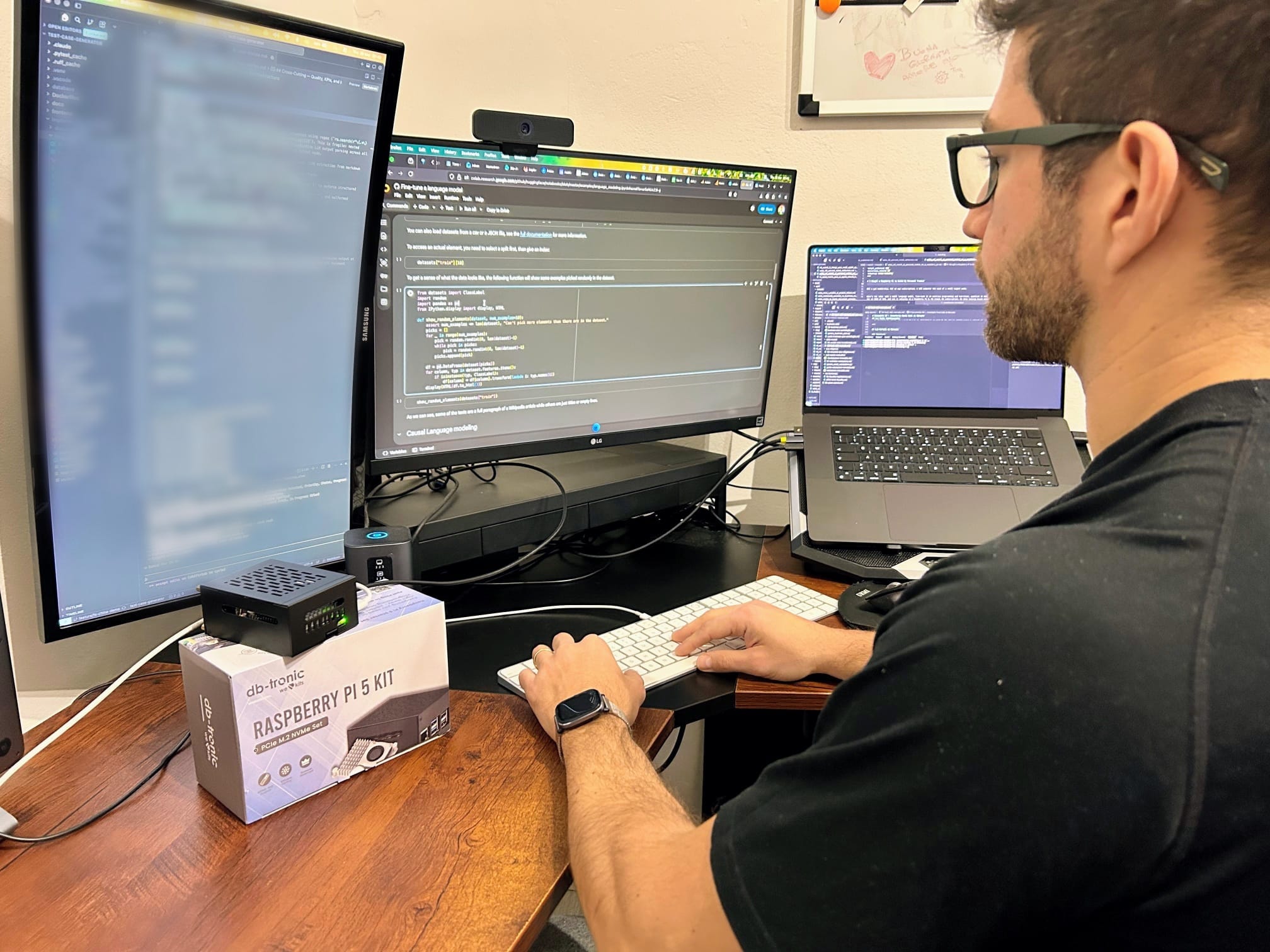
I recently bought a Raspberry Pi 5 with 16GB of RAM. The goal: fine-tune a small language model on exercise programming and nutrition, quantize it to fit the Pi’s constraints, and run a fully private AI personal trainer no cloud, no subscription, no data leaving my desk.
This post walks through the full pipeline: model selection, fine-tuning with QLoRA, quantization to GGUF, and deployment on the Pi. Everything here is based on published benchmarks and documentation, so you can go to the source and learn from yourself.
TL;DR
1. Pick a base model in the 1B–3B range (Qwen2.5 3B or Llama 3.2 3B recommended)
2. Fine-tune with QLoRA using Unsloth on a free Google Colab T4 GPU
3. Merge LoRA adapters, convert to GGUF, quantize to Q4_K_M
4. Deploy on RPi5 with llama.cpp expect ~5 tok/s for a 3B model
---
Why a Raspberry Pi?
The Raspberry Pi 5 with 16GB is the first sub-$100 single-board computer with enough memory to run meaningful language models. At Q4 quantization, a 3B-parameter model uses ~3.5GB of RAM and generates at ~5 tokens per second slow by cloud standards, but more than adequate for a personal trainer that generates workout plans and answers questions about form or nutrition.
“My hypothesis” about the future: specialized AI running on consumer-grade hardware is a viable pattern for use cases where privacy, cost, and offline capability matter more than speed.
What Can Actually Run on RPi5 16GB?
Published benchmarks from Stratosphere Lab and It’s FOSS give us concrete numbers:

The sweet spot is 1B–3B at Q4_K_M quantization. Models in this range deliver usable interactive speeds while fitting comfortably in 16GB with headroom for the OS and inference engine.
For a personal trainer use case, I’m starting with Qwen2.5 3B it scores highest on accuracy in promptfoo benchmarks and 5 tok/s is fast enough for generating workout plans (you’re not having a real-time conversation; you’re waiting a few seconds for a structured response).
Step 1: Prepare the Training Dataset
That’s the critical point. Fine-tuning is only as good as the data. For a personal trainer, I’m thinking to generate structured paired conversation with my new friend James the PT, covering:
Exercise programming (splits, periodization, progressive overload)
Form cues and exercise selection
Nutrition fundamentals (macros, meal timing, caloric targets)
Injury modifications and recovery
RPE-based training and autoregulation
How to model the data? Chat-template JSONL compatible with your target model, for example:
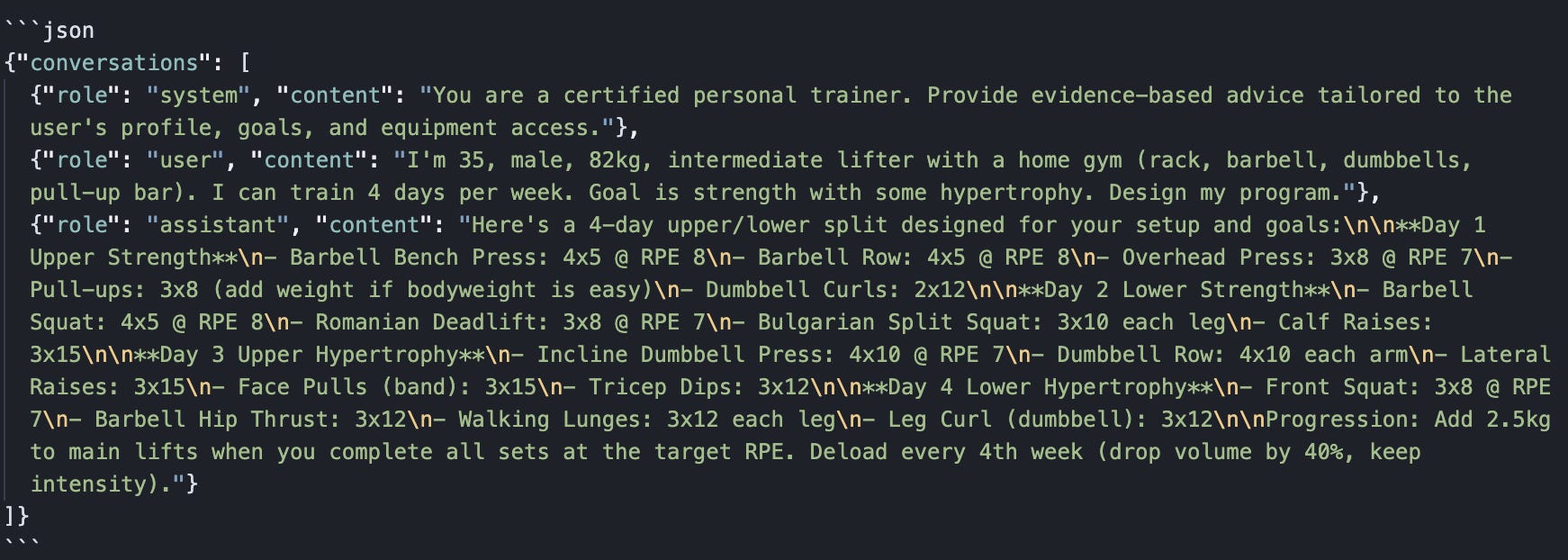
How many examples? Unsloth’s documentation recommends quality over quantity. For a focused domain like personal training, 500–2000 high-quality pairs should be sufficient. The key is diversity of user profiles (age, experience level, goals, equipment, injuries) and depth of responses.
You can bootstrap the dataset using a stronger model (Claude, GPT-4) to generate synthetic examples from exercise science principles, then validate and edit manually. Or you can ask your real PT. One suggestion, don’t tell them what’s this for!
Step 2: Fine-Tune with QLoRA Using Unsloth
Fine-tuning does not happen on the Pi. The Pi is the deployment target. Training happens on a GPU, for example a free Google Colab T4 (16GB VRAM) is enough for a 3B model with QLoRA.
Unsloth is the current best option for efficient fine-tuning: up to 2x faster and 70% less VRAM than standard Hugging Face training, with no accuracy loss. It supports Qwen2.5, Llama 3.2, Gemma, Phi-3, and most popular model families.
How QLoRA Works
Dettmers et al., 2023)](https://arxiv.org/abs/2305.14314 combines two techniques:
LoRA injects small trainable low-rank matrices into frozen model layers. Instead of updating all 3 billion parameters, you train <1% of them (typically targeting attention and feed-forward projections).
4-bit quantization reduces the frozen base model’s memory footprint by ~75%, so it fits on smaller GPUs.
The result: you can fine-tune a 3B model on 16GB VRAM while only modifying ~30M parameters.
The Performances
Training a 3B model on 1000 examples with these settings takes roughly 30–60 minutes on a Colab T4.
Pre-built Colab notebooks for various model families are available at Unsloth Notebooks].
In the age of GenAI, there is really no point in sharing the code I used. If you can’t or don’t want to write code but need something similar, contact me!
Step 3: Merge, Convert, and Quantize
This is the pipeline that turns a fine-tuned model into a single file the Pi can run. Three steps, each with a specific tool.
3a. Merge LoRA Adapters into Base Model
The LoRA adapters are weight deltas they need to be merged into the base model before conversion.
Important: The GGUF converter expects full model weights. Feeding it adapter files directly will fail silently or produce a broken model. Always merge first.
Alternatively, Unsloth can handle merging and GGUF export in one step via `model.save_pretrained_gguf()` see the Unsloth documentation for details.
3b. Convert to GGUF (F16 Intermediate output type)
You can use llama.cpp’s conversion script.
This produces a full-precision GGUF file. It’s too large to run on the Pi (a 3B F16 is ~6GB) but serves as the input for quantization.
Common pitfall: If you hit a `KeyError` during conversion related to rope scaling, add `”rope_scaling”: null` to the model’s `config.json`.
3c. Quantize to Q4_K_M
Why Q4_K_M? Q4_K_M uses the K-quant method: most layers are quantized to 4-bit, but attention and output layers are kept at higher precision. For a 3B model:

Task-specific fine-tuned models tend to be more robust to quantization than general-purpose models. The weight distribution is narrower, so 4-bit quantization preserves the learned behavior well.
3d. Validate
Always check that quantization didn’t break the model.
Acceptable: perplexity within 0.5–1.5 points of the F16 baseline. If it’s significantly higher, try Q5_K_M or Q5_K_S instead.
Step 4: Deploy on Raspberry Pi 5
Transfer the single `.gguf` file to the Pi (SCP, USB drive, whatever works) and run it with llama.cpp.
llama.cpp compiles natively on ARM64 with NEON optimization no special flags needed for RPi5.
Key components:
-t 4 use all 4 Cortex-A76 cores
-n 512 max tokens per response (adjust based on use case)
--temp 0.7 moderate creativity; lower for more deterministic plans
-cnv conversational mode with multi-turn context
Expected performance for Qwen2.5 3B Q4_K_M: ~5 tokens/second, with prompt evaluation at ~15-20 tok/s. A typical workout plan response (200-300 tokens) takes 40-60 seconds to generate.
Alternative: Ollama
If you prefer an API-based setup (for example, to build a web UI) you can use Ollama, that provides a server-like setup.
Ollama is 10-20% slower than raw llama.cpp but significantly easier to integrate with web frontends via its REST API.
Choosing the Right Inference Engine
3 options really:
llama.cpp → Fastest (baseline), build from source, CLI, Maximum performance, headless operation
Ollama → ~10-20% slower, one-command install, REST API, Web UI integration, multi-model setups
Llamafile → Potentially faster on ARM, single executable, dedicated single-model appliance
For my personal trainer experiment running on a dedicated Pi, I decided to start with llama.cpp for raw performance. I’m planning to test the rest soon.
What This Pattern Looks Like Beyond Hobby projects
The pipeline fine-tune small, quantize, deploy on EUR 200 hardware isn’t specific to fitness. The same approach applies to:
Compliance assistants for small firms that can’t send documents to cloud APIs
Customer-facing kiosks that work without internet
Nutrition coaches with private health data that never leaves the device
Domain-specific Q&A for field workers in areas without connectivity
Education tutors that run on a student’s desk for EUR 200 instead of EUR 20/month (or more depending on the subscription you are choosing)
The economics are compelling: a Raspberry Pi 5 16GB costs ~EUR 200. A fine-tuned 3B model at Q4_K_M is a 1.8GB file. The total cost of a purpose-built AI appliance is under EUR 300, with zero ongoing subscription costs and full data privacy.